End-to-end encrypted · No ads, ever

Your money,
in plain words.

Tell Spence “add $45 Shell Gas yesterday” and it's logged. Snap a receipt and every item adds up. Share a home with family, plan your year with your own AI CFO — and nobody, not even us, can read a cent of it.

  • 160+ currencies
  • 6 people per space
  • 0 ads or trackers
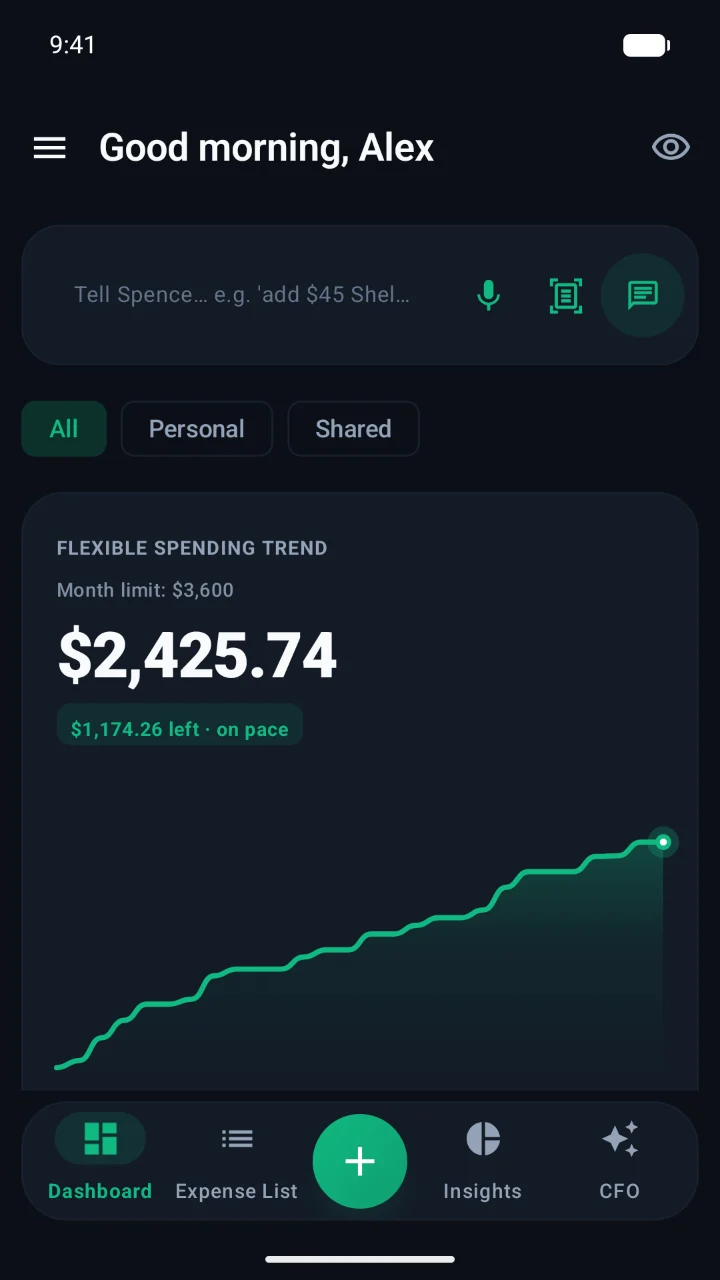
Spence dashboard: Tell Spence bar, flexible spending trend and bottom navigation
Costco
12.99
8.49
24.10
Total$45.58
76
Financial health+$10,168 at 25 yrs
Smart settle
AS
Sara owes you$31.50
End-to-end encrypted
Store
Note
Members

One app, the whole picture

From a coffee to your whole year.

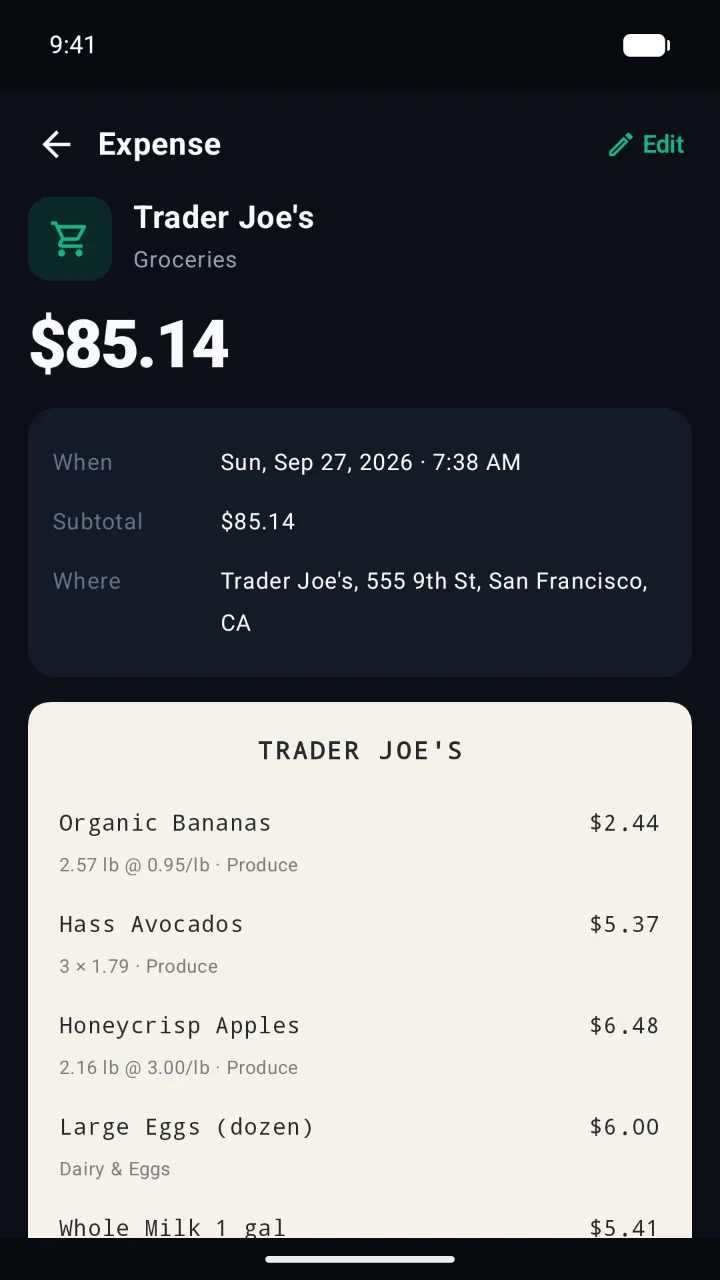
Receipt with every item, price per pound and category
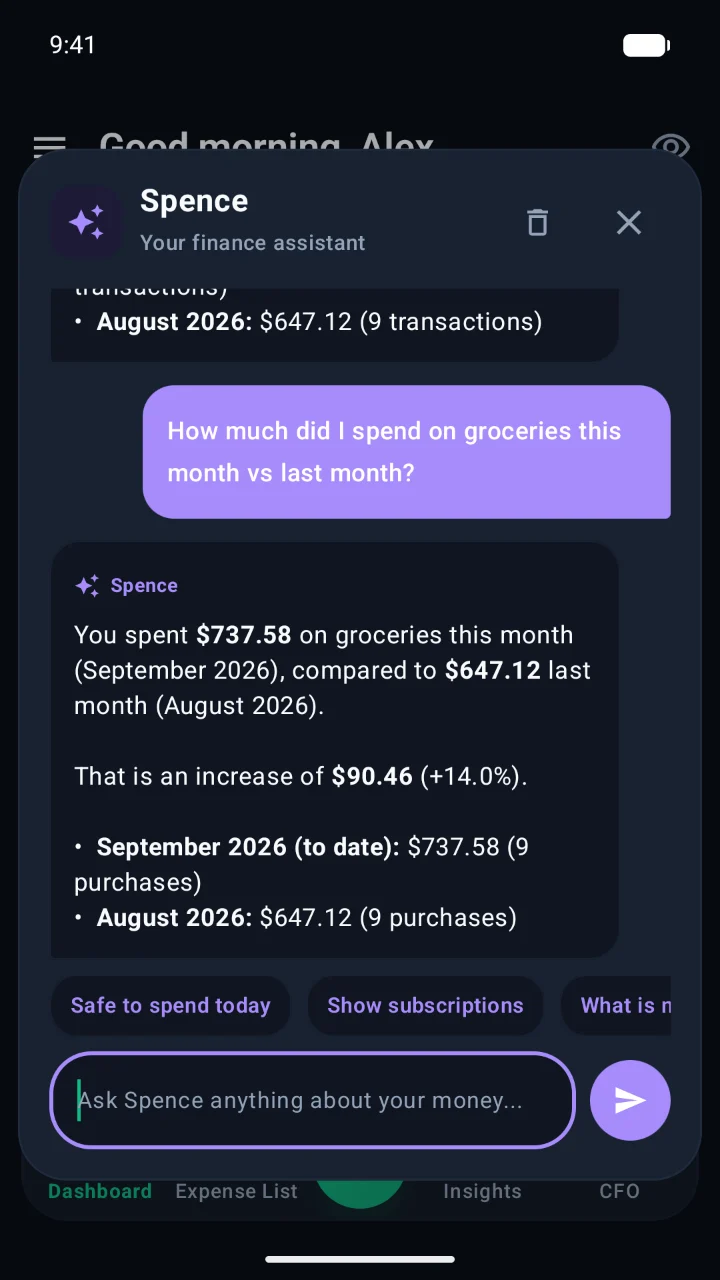
Spence chat answering how grocery spending compares to last month
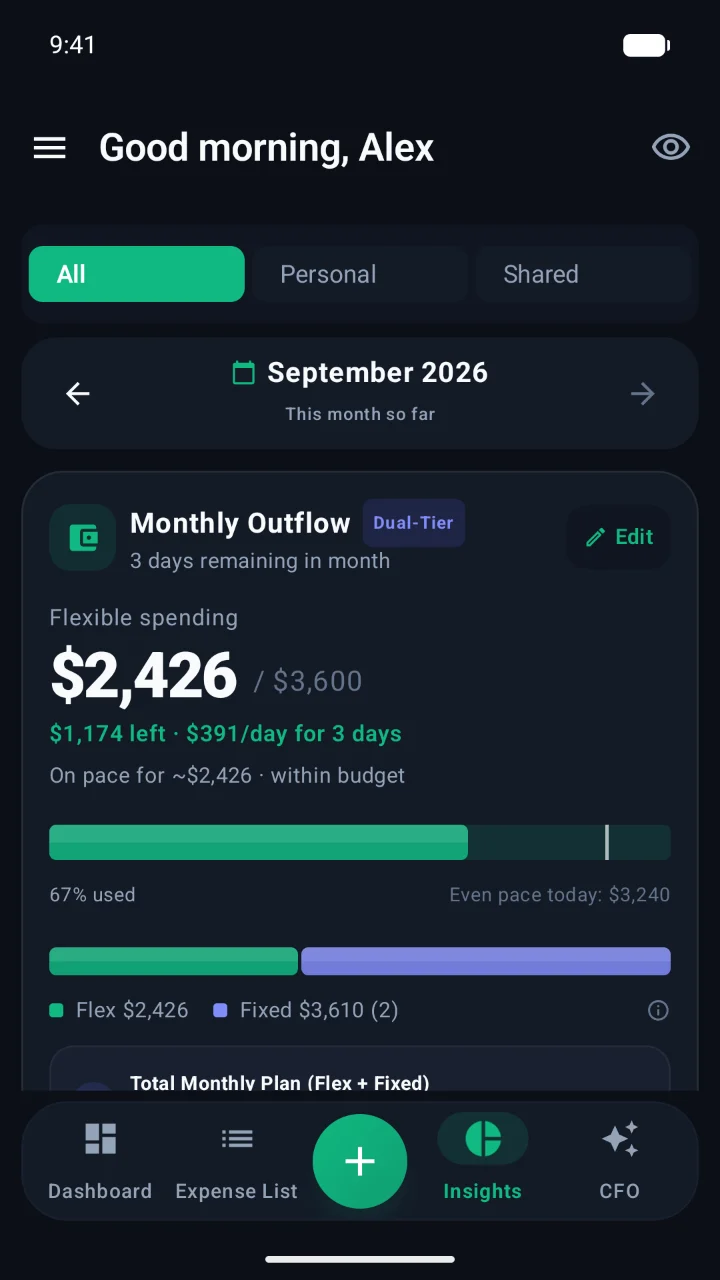
Insights: monthly outflow with flexible and fixed spending
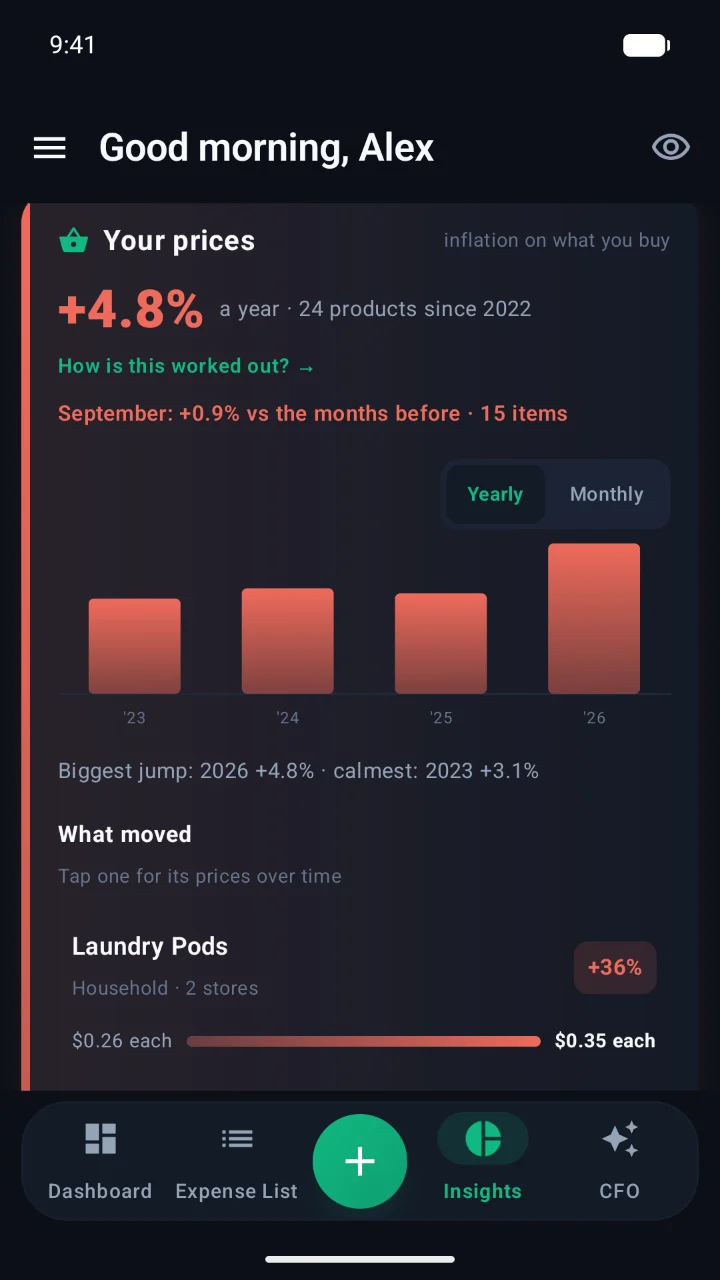
Your prices: personal inflation on what you buy
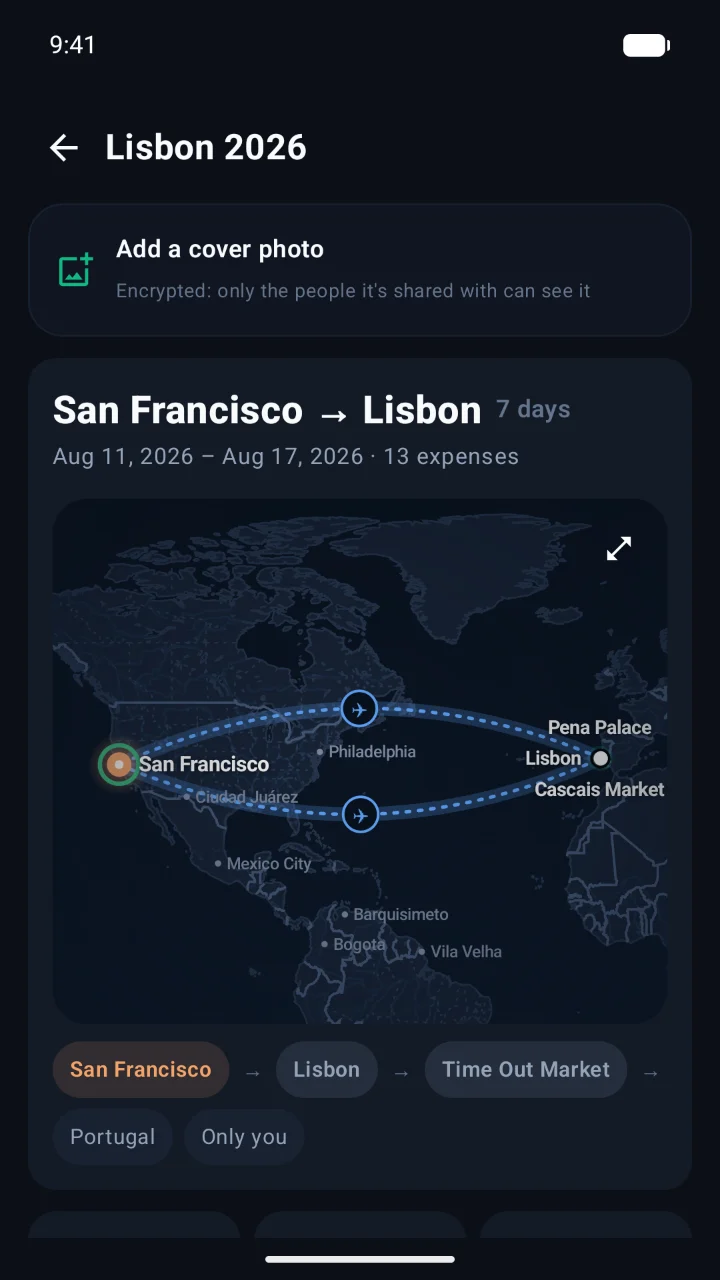
Trip from San Francisco to Lisbon drawn on a map
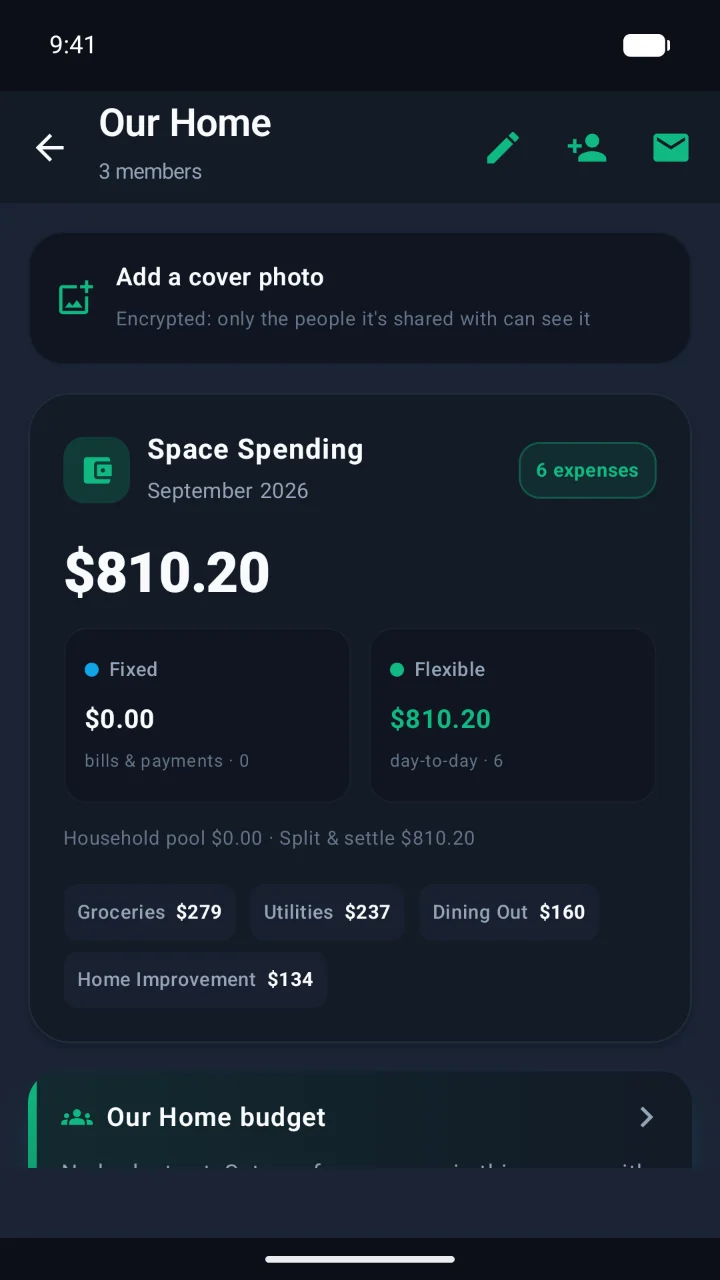
Our Home shared space with fixed and flexible spending
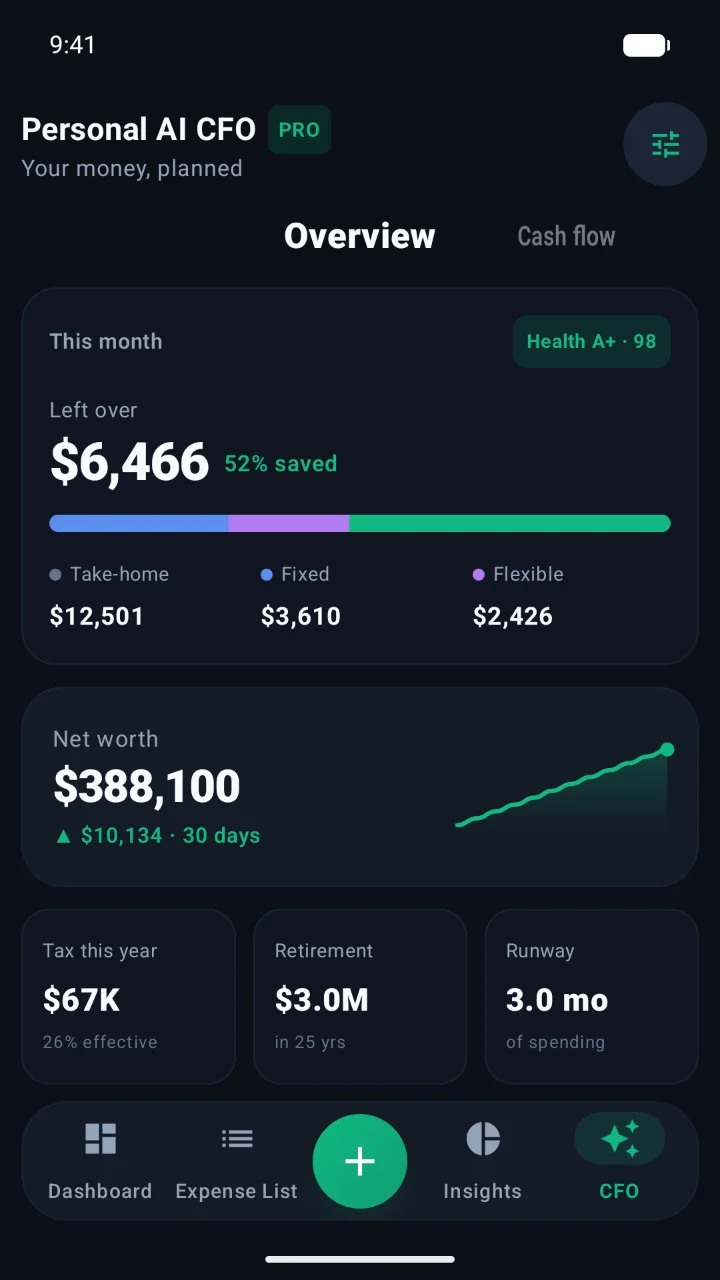
Personal AI CFO overview with left over, net worth, tax and retirement
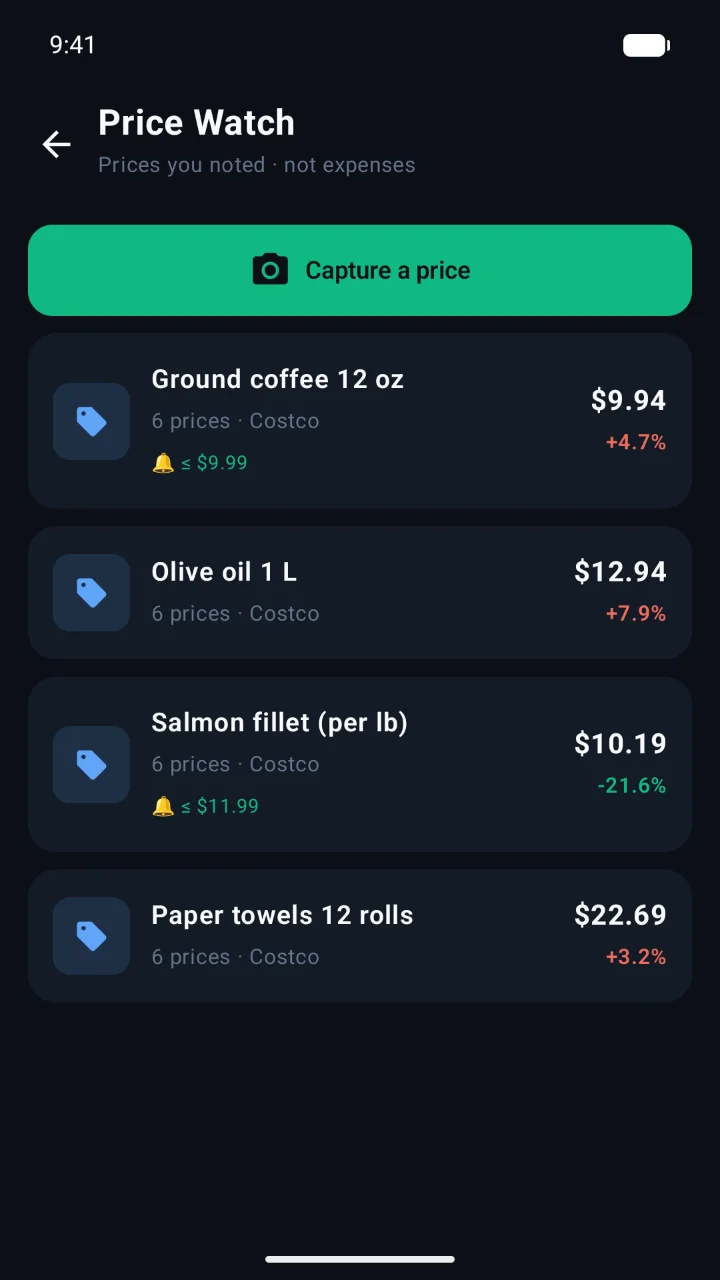
Price Watch list of products with price alerts
01

Receipts, line by line.

Scan a receipt and every item comes out with its price, weight and category — on a paper-style receipt you can check at a glance. A breakdown is only saved when it adds up.

  • Store, date, time and address filled in
  • Split bills and tips read from the receipt
  • Photos sealed before they leave your phone
02

Ask Spence anything.

“How much did I spend on groceries this month vs last month?” Spence answers from your own expenses, with the numbers that matter.

  • Safe to spend today, subscriptions and more
  • Type it or say it
  • No ads, no data sold
03

A budget that keeps pace.

Insights splits your month into flexible spending and fixed bills, shows what’s left per day, and tells you whether you’re on pace.

  • All, Personal or Shared in one tap
  • Any past month, card by card
  • Even-pace marker on your budget bar
04

Your own inflation rate.

Spence follows the same products across your receipts and stores, and shows how fast the prices you actually pay are rising.

  • Compared per unit, per pound or per litre
  • What moved, with each item’s price history
  • Yearly and monthly views
05

Every trip, a journey.

Away from home, Spence asks “Part of a trip?” — it never guesses. Each trip gets its route, stops and totals, drawn right on your phone.

  • Flights read from your tickets
  • Share a trip with the people on it
  • Cover photos, encrypted
06

Spaces for the people you share with.

A home, a couple, roommates. Invite by email, see bills and day-to-day spending together, keep a shared budget and settle up in the fewest payments.

  • Up to 6 people on Family
  • Household pool or split & settle
  • Each space has its own encryption key
07

Your own AI CFO.

See what’s left over this month, your net worth, tax for the year, retirement and runway — with a health score that tells you where you stand.

  • US & Canada tax forecasts
  • Bills for your mortgage, car and insurance
  • Cash flow for the whole year
08

Watch prices before you buy.

Snap a shelf tag to follow a product’s price over time. Set an alert and Spence tells you when it drops.

  • Prices you note, never counted as expenses
  • Alerts at your target price
  • Share a list with your space

Privacy by design

Even we can't read it.

Every expense, trip, name and photo is locked on your phone before it syncs. The key never reaches our servers — a database leak, a backup, or the people who run Spence see only scrambled data.

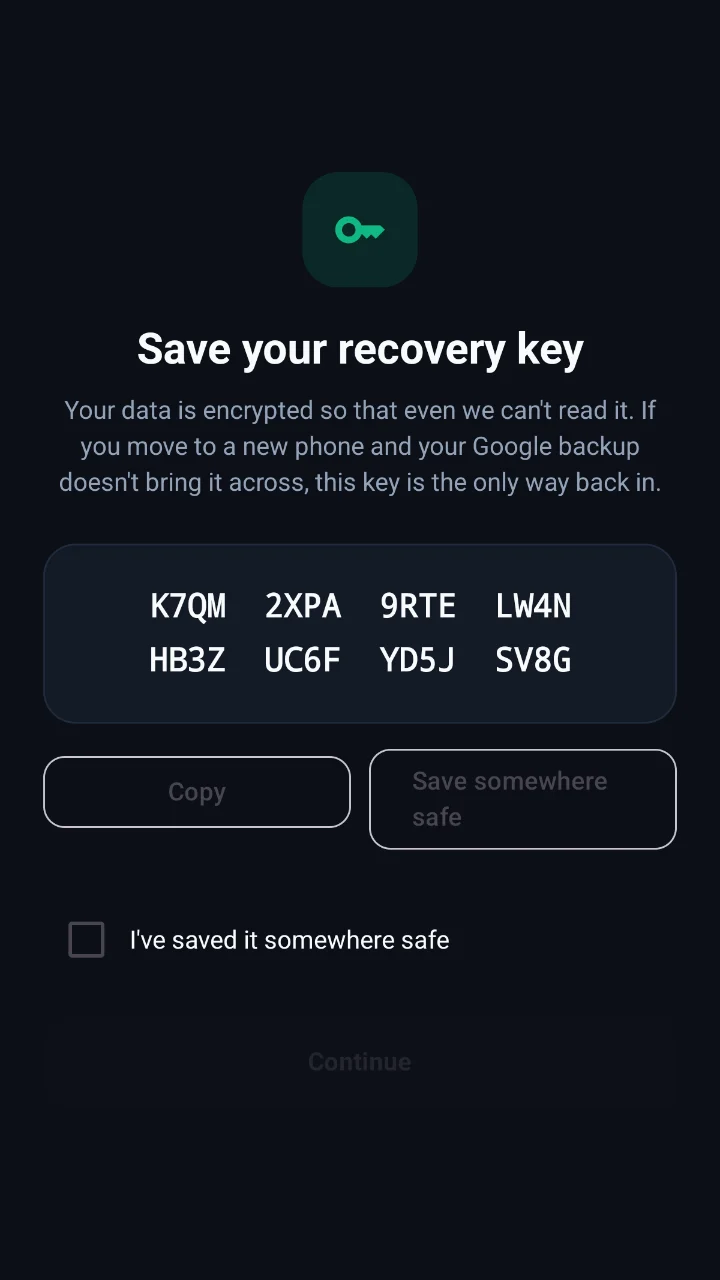
🔑Your key, your phoneKept in the phone's secure hardware and your Google backup — plus a recovery key only you have.
🧩Whole-record encryptionAmount, store, category, date, place — all sealed. Not just “some fields”.
📸Sealed photosReceipts and covers are encrypted before upload. No public image links.
👁️Ghost mode & app lockHide balances in public with one tap. PIN or fingerprint on every open.

And a lot more

Small touches, everywhere.

Recurring & subscriptionsRent, streaming, gym, insurance — tracked, forecast, and flagged when prices move.
Netflix $17.99Gym $45.00Cloud $2.99Spotify $12.99 ↑
0
CurrenciesOriginal and home amounts side by side.
⛽
Fuel logGallons, price and mileage from one quick form.
📦
Amazon ordersImport your order history, itemized like receipts.
Works offlineEverything lives on your phone first and syncs when you're back online.
🌗
Light & darkPick your look, or follow the phone.
Move to a new phone in secondsSign in and your data returns from the cloud; your key follows through Google's encrypted backup.
→

Simple pricing

Start free. Grow when ready.

Free

$0forever
  • Unlimited expense logging
  • Category trends & budgets
  • Ghost mode & app lock
  • Encrypted backup
Download

Pro

$3.99/ month
  • AI receipt itemizer
  • AI Copilot
  • Travel & multi-currency
  • Safe-to-spend & subscription radar
  • PDF statements
Go Pro
Most loved

Family

$6.99/ month
  • Everything in Pro
  • Up to 6 people
  • Shared spaces, trips & budgets
  • Settle up in fewest payments
  • Real-time sync & invites
Start with Family

Lifetime

$79.99once
  • All Pro features, forever
  • Every future Pro feature
  • No subscription
Own it

Swipe to see every plan →

Prices in USD; Google Play shows your local price. Cancel anytime in Google Play.

Questions

Good to know.

Can Spence see my expenses?

No. Your records are encrypted on your phone with a key that never leaves your control. Our servers store only sealed data plus the bare minimum needed to sync, like when something last changed.

What happens if I lose my phone?

Sign in on the new phone. If it was restored from your Google backup, your key comes along automatically. Otherwise, enter the recovery key you saved when you set up Spence.

Does it connect to my bank?

No — by design. You log expenses in a line, a photo or a shared receipt, so there are no bank passwords to hand over.

How do AI features handle my data?

When you scan a receipt or ask the Copilot, only what that request needs is sent to be processed. Nothing is used for advertising, and there are no ads in Spence.

How does sharing work?

A Family plan covers up to 6 people. Invite them by email into a shared space for your home, a trip or anything you split.

Can I export my data?

Yes. Export to CSV anytime, or create a PDF monthly statement.

Know where it goes.
Keep it to yourself.

Free on Google Play. Takes 30 seconds to start.

Get Spence on Google Play